





What actually causes a redesign to lose traffic
The most common thing we see after a website redesign is a prettier site that gets less traffic than the old one.
Nobody sells it that way, and the drop rarely shows up on launch day, which is most of the reason the connection never gets made. The new site goes live, everyone is pleased with how it looks, and eleven weeks later somebody notices the contact form is quiet.
By then the agency has invoiced and moved on, the old site is gone, and the business is left comparing a feeling to a feeling. Nobody wins that argument.
We have taken over enough of these to know the pattern, and to know that almost every one of them was preventable with work that costs less than the design did.
A website redesign is a migration wearing a nicer suit.
The visual part is the part everyone talks about and the smallest part of the risk; the part that decides whether you keep your traffic is a spreadsheet of every URL you currently own, what it ranked for, and where it lands on the new site.
That spreadsheet is unglamorous – and it is the whole job.
We build the new site, and we carry the old one across without dropping it.
There are four ways a redesign loses rankings and only one of them has anything to do with design.
The first is URL changes without redirects, which is the classic. Every page that moved and did not tell Google where it went is a page that lost whatever authority it had accumulated, and the links pointing at it from the rest of the internet now point at a 404.
The second is content that got cut in the name of a cleaner site. It happens on every project.
Somebody looks at a nine-hundred-word services page, decides it reads long, and replaces it with three sentences and a photograph; the page stops answering the question it used to rank for and the ranking goes with it.
The third is technical regression that nobody checks for. A staging site that was blocked from search engines goes live with the block still on, or the new template drops the heading structure, or the pages that used to load in under two seconds now ship a slideshow library on every screen.
The fourth is the one that is genuinely hard to see: internal linking. The old site linked to that service page from six places and the new navigation links to it from none, so Google reads it as less important, because that is exactly what you just told it.
None of those are design decisions. All four are decisions that get made quietly during a design project by somebody who is not thinking about search.

The content inventory, which is where the work starts
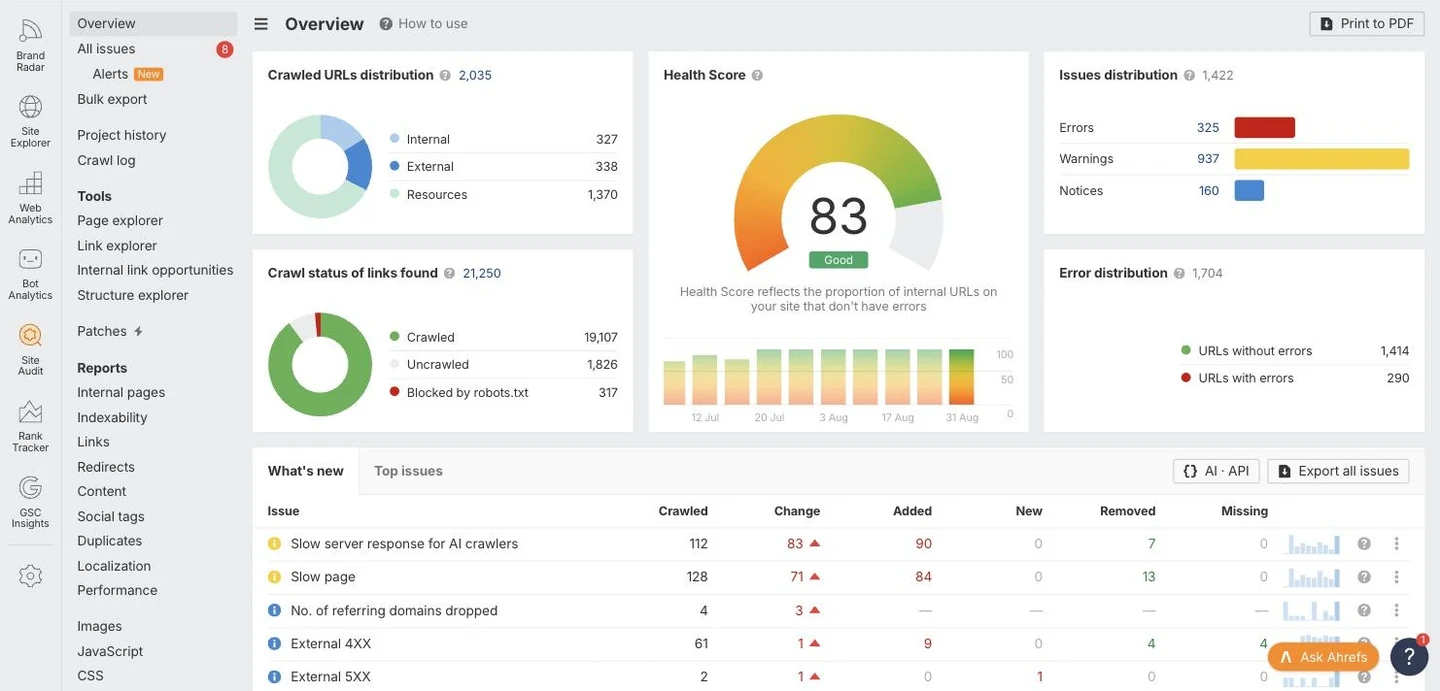
Before anything gets designed, we pull every URL on the current site into one sheet and put numbers next to it.
The numbers are traffic over the last twelve months, ranking keywords, backlinks pointing at that specific page, and conversions if there is anything reliable to read.
That sheet usually runs to a few hundred rows for a small business site and it sorts into four piles quickly: pages that earn and must survive intact, pages that earn a little and need rewriting rather than deleting, pages nobody has visited in a year, and pages that should never have existed.
Most of the site is in the third pile. That is normal, and it is still no reason to delete that pile blindly.
The interesting rows are the ones that surprise the owner. There is almost always a page nobody remembers writing that quietly brings in a quarter of the organic traffic – an old blog post, a FAQ, a page about a service the business barely sells any more.
Kill that page in the redesign and you have paid for a new website by removing the best-performing thing on the old one.
We run this inventory before a single screen is designed, because the inventory is what tells us how many pages the new site actually needs.
Keep the URLs you already have
The safest URL structure in a redesign is the one you already have, and most redesigns change it for no reason at all.
An address that has been live for six years, has links pointing at it and sits in somebody’s bookmarks is an asset.
Changing it from /services/roof-repair/ to /what-we-do/roofing/repair/ buys you a tidier sitemap and costs you a measurable slice of whatever that page had built up, even with a perfect redirect in place, because redirects pass most of the signal and not all of it. Tidiness is not worth that trade on a page that ranks.
It never is.
There are real reasons to change a URL. The structure is genuinely broken, the site is moving from one hierarchy to another that reflects how the business actually sells, the old URLs carry dates or ID numbers that make no sense to a human.
When we change one we change it on purpose and we write down why. When there is no reason it stays – and a slightly inconsistent URL that still ranks beats a beautiful one that starts from zero.
This is also why we move sites onto a hub and spoke structure before a redesign rather than during one where we can. Structure changes and design changes riding in the same launch make it impossible to tell which one caused what.
Redirect mapping, one row at a time
Every URL that changes gets a redirect, and every redirect gets written by a person who looked at both pages.
The failure here is almost never that redirects were forgotten entirely; it is that they were done in bulk.
A rule that sends every old blog URL to the new blog index technically avoids a 404 and functionally throws the page away, because Google treats a redirect to a page about something else as a soft 404 and drops it. The old plumbing page goes to the new plumbing page.
If the new site has no plumbing page, that is a content decision you need to make on purpose, not a thing to paper over with a redirect to the homepage.
The mechanics matter less than people fear. A 301 is a permanent move – and that is what you want; a chain of three redirects works and leaks a little, so we collapse chains to one hop.
Query strings, trailing slashes, http to https, the www and non-www versions of everything – all of it gets checked, because the ugliest traffic losses we have cleaned up came from a site that redirected correctly on one variant and returned a 404 on the other.
After launch we crawl the old sitemap against the new site and every row must return a 200 at the end of one hop. Not most rows.
Every row.
Rewriting content instead of throwing it out
In most of the search results we open, the page holding the top spot is the longer one, which is not a coincidence anybody should be proud of, and it is still the terrain we are building on.
When a redesign shortens a page it is usually because the page is badly written rather than too long, and the fix is to write it properly instead of cutting it down.
A services page that answers what the service is, who it is for, what it costs, how long it takes and what happens if it goes wrong is long because it is doing work.
The same page cut to a headline and a hero image is short because it has stopped doing work, and it will rank accordingly.
Our rule during a redesign is that no page loses its substance without a written reason. Reorganized, yes.
Rewritten in a better voice – often. Merged with a near-duplicate, frequently, because most sites have three thin pages that should be one strong one.
Deleted because it looked long in a wireframe, no.
Website redesign services that keep the technical floor intact
A new site should be faster than the old one on the day it launches, and a surprising number are not.
The reason is usually the build method. It almost always is.
A redesign that moves a hand-coded site onto a page builder ships every page with a stack of JavaScript it does not use, and the design looks modern while the pages get heavier.
We build custom WordPress block themes with no page builder and no Elementor, which is a boring technical position that turns into a speed number the day the site goes live. The general argument for that sits on web design, and the comparison people usually want first is WordPress versus Squarespace.
The floor we hold on every redesign is the same: semantic HTML with one H1 per page and headings that do not skip levels, images served in modern formats at the size they display, no render-blocking third-party scripts in the head, schema carried over and corrected, and Core Web Vitals measured on a real phone rather than a laptop on office wifi.
Accessibility comes with that, priced into the floor rather than sold on top of it. A site that is easy for a screen reader to parse is usually easy for a crawler to parse, which is a happy accident of doing the work properly.
Staging, and the checks that happen before anyone sees it
The new site gets built on a staging server that is closed to search engines and open to you.
You review it there, on a real phone, with real content in it rather than placeholder text – because a site reviewed with Lorem Ipsum is a site nobody has actually read. We would rather have the argument about the hero headline in week five on staging than in week eleven on the live domain.
The pre-launch pass is a checklist – and it is deliberately tedious. Every redirect resolves.
Every form submits and the notification arrives at a real inbox that somebody checks. Analytics and Search Console are installed and firing before launch rather than after.
The robots file and the meta robots tags are correct, which means the staging block is off, and that is the one we find most often on sites we are handed after somebody else launched them. Schema validates.
The sitemap generates and lists what it should. The 404 page exists and is useful.
Every image has alt text or is explicitly marked decorative.
Then we launch on a Tuesday morning. Never a Friday afternoon.
The two weeks after launch, which is when you find things
A launch is not a finish line, it is the start of a two-week window where problems are cheap to fix.
In the first forty-eight hours we watch Search Console for crawl errors and coverage drops, because Google will find your mistakes faster than you will. In the first week we watch for 404s in the server logs, which catches the URLs nobody knew existed.
Rankings will wobble in this period and that is expected; Google is recrawling a site that changed, and a two-week dip that recovers is a different animal from a drop that does not.
The measurement that matters is a before-and-after comparison you set up in advance. We baseline organic sessions, ranking positions for the terms that matter, and conversions in the four weeks before launch, then compare the same four weeks after.
Without that baseline you are back to comparing a feeling to a feeling, and everyone loses that argument.
When a redesign is the wrong answer
Sometimes the site is fine and the problem is elsewhere, and we will say so before taking the project.
If the site loads fast, converts reasonably and simply looks dated, a design refresh on the existing structure costs a fraction of a full rebuild and carries almost none of the migration risk.
If the real problem is that nobody can find the site, the money belongs in content and SEO rather than in a new template, because a redesign does not create demand – and a beautiful site with no traffic is an expensive brochure.
If the problem is that the site breaks constantly and nobody updates it, that is a maintenance problem, and website maintenance services will fix it for a fraction of a rebuild.
We have talked people out of a site redesign more than once. It is a bad way to run a sales pipeline and a good way to still have the client in four years.
What a website redesign costs
The low end is a site of roughly ten to fifteen pages, a content inventory and redirect map, a custom block theme built to the brand you already have, and the existing copy reorganized and tightened.
The high end is thirty pages or more, new copy written from scratch, a new visual identity applied across the site, ecommerce or booking integration, and a migration off a platform that fights you on the way out. Most of the difference is content volume and how badly the old site is stuck.
What is included in every number: the inventory, the redirect map and its post-launch verification, the staging build, the pre-launch checklist, and the two-week watch after go-live. We do not price migration safety as an upgrade, because a redesign without it is not a redesign we would put our name on.
If you want the wider version of this question, how much a website costs covers new builds as well.
How long a redesign takes
Six to twelve weeks from kickoff to launch, and the variable is almost never us. It is rarely us.
The first two weeks are inventory, crawl, keyword mapping and the sitemap for the new site. Weeks three and four are design on the pages that matter, which is usually the homepage, one service page and one interior template rather than every screen.
Weeks five through nine are build and content migration on staging, which is the long stretch and the one where content approvals decide the pace. The last two weeks are the checklist, the launch, and the watch afterward.
The thing that stretches a redesign past twelve weeks is copy sitting in somebody’s inbox. We will write it if you want us to, and that is a line item rather than a favor, and it is usually cheaper than four weeks of delay.
Common questions
Will a website redesign hurt my SEO?
It can, and it usually does when nobody plans the migration. Traffic loss comes from changed URLs without redirects, deleted content, technical regressions and lost internal links, and every one of those is preventable with a content inventory and a redirect map done before the design starts.
How long does it take to recover if my traffic drops?
If the cause is found and fixed within a few weeks, recovery usually tracks the next recrawl and takes another few weeks after that. If a site sat broken for six months, recovery is slower and sometimes incomplete, because the links that pointed at the dead pages have often been removed by then.
Should I keep my old URLs?
Keep every URL that ranks or has links pointing at it unless there is a specific reason to change it. A redirect passes most of a page’s value and not all of it, so the free move is to not need one.
Can I redesign my site in stages instead of all at once?
Yes, and for a large site it is often the safer path. Template by template or section by section means a smaller blast radius per launch and a much easier time telling what caused a change in the numbers.
What if I do not have any content to migrate?
Then the redesign is closer to a new build, which is simpler on the migration side and more work on the writing side. That is the project where the budget moves from development into content.
Do you redesign sites you did not build?
Most of them, yes. Taking over somebody else’s build is normal work and the first week is always the same: crawl it, inventory it, and find out what is holding it up.
Will my site be faster after the redesign?
It should be, measurably, on a phone. If a redesign does not improve load time it has probably added a page builder, and that is a build decision rather than a fact of life.
Do I need to change hosting?
Not always, though we usually do, because a redesign is the cheapest moment to move off cheap shared hosting. That decision gets made on the numbers rather than on principle.